Comparisons
unDraw vs Blush: Ready Scenes or Mix-and-Match Characters?
unDraw vs Blush compared: finished scenes against mix-and-match character composition, free plan limits, SVG access and pricing structure, from both services' own pages.
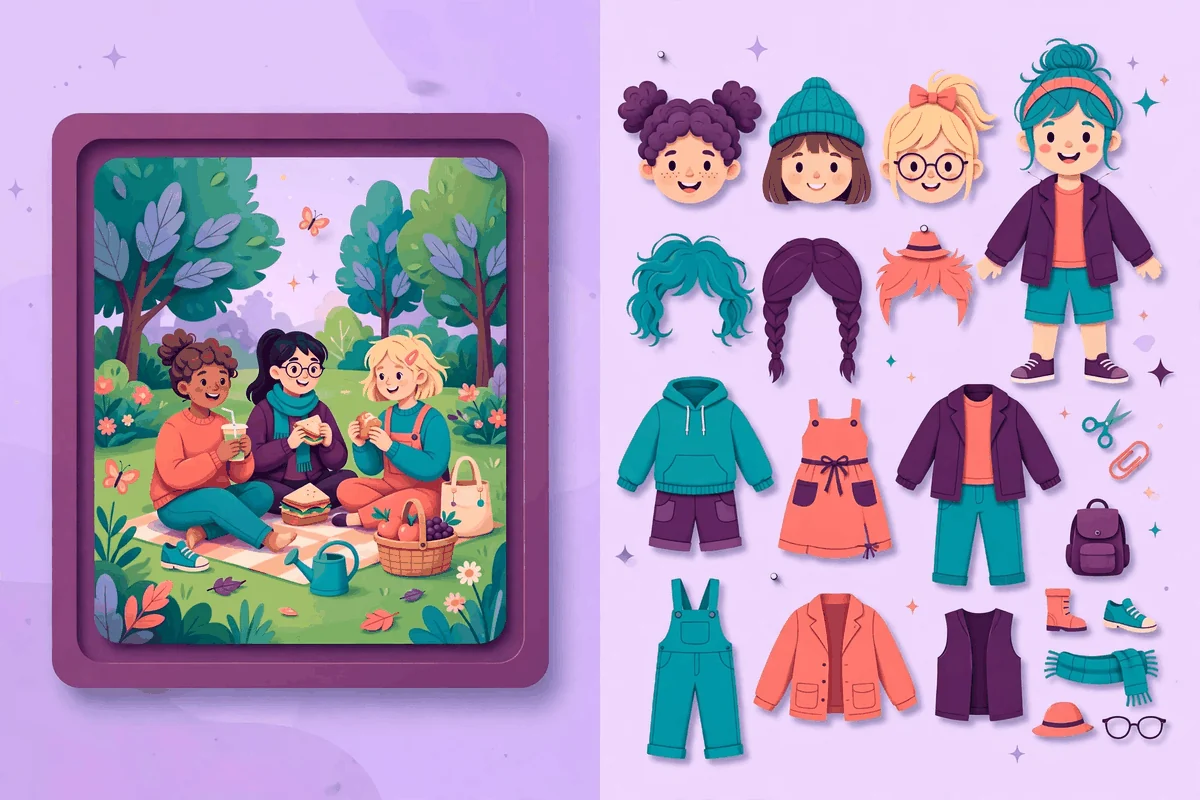
Most illustration libraries hand you a picture. Blush hands you parts. That single difference drives the whole unDraw vs Blush comparison. unDraw offers finished scenes drawn by one creator, which you recolor with a single accent and download as SVG or PNG. Blush offers collections drawn by many artists, built as components you mix and match inside its editor until the character, pose and objects say what you need. This guide compares the two approaches, the export limits that come with Blush's free plan, and the licenses, so you can decide whether your project wants a picture or a construction kit.
Claims about Blush are drawn from Blush's own homepage, its plans page and its license page. Claims about unDraw come from the official site and its license. Where Blush's plans change what you can download, we say exactly which plan does what, because that is where most Blush surprises live.
The short verdict on unDraw vs Blush
Choose unDraw when a finished scene exists for your message and you want it in your design within a minute. Everything is free, the SVG is included, and the consistent single style keeps a whole product looking coherent without any effort on your part.
Choose Blush when the scene you need does not exist yet. If you need a character with a specific look, a pose that matches your copy, or a team of characters who feel like one cast across twenty screens, Blush's mix and match editor can build what no search box can find. The cost of that power is a plan boundary: on the free plan you download PNG files and can save only a small number of designs, while SVG vectors, high resolution PNGs and the full library sit behind the paid Pro plan. The license itself is friendly on both sides, with commercial use and no attribution in each. The real question is workflow, not rights.
unDraw vs Blush at a glance
| Aspect | unDraw | Blush |
|---|---|---|
| Style | One consistent style of polished, flat color scenes by a single creator | Many collections in many styles, each made by a different artist from around the world |
| Customization | One main accent color set before download; the scene itself is finished | Mix and match components: swap characters, poses, objects and colors until the scene is yours |
| Formats | SVG and optimized PNG, both free | PNG on the free plan; SVG vectors and high resolution PNGs on the Pro plan |
| License and attribution | Custom license; commercial and noncommercial use, no attribution; no packs, no competing service, no AI training | Custom license; commercial and noncommercial use, no attribution; no resale or redistribution, no merchandising based on the artwork, no claiming ownership |
| Best for | Finished scenes for websites, apps and documents, chosen fast and used as they are | Custom characters and scenes built to order, especially casts that repeat across a product |
How unDraw works
unDraw keeps the creative decisions upstream, with the illustrator. Katerina Limpitsouni draws complete scenes: people working, traveling, shopping, celebrating, failing and recovering. You search for the idea your page needs to express, open the scene, and set one main accent color. The site recolors the preview around that single choice, and you download the finished artwork as an SVG or an optimized PNG. No account, no plan, no export limits.
The strength of the model is taste you can borrow. Composition, spacing and character design are already resolved by a professional, so a non designer can produce a page that looks designed. The weakness is the mirror image: if the scene is almost right, almost is where it stays, unless you open the SVG in a vector editor and do surgery yourself. Our guide to changing an unDraw illustration's color covers the site's color control and the editor route for deeper changes.
Licensing follows the same all included pattern. Commercial and noncommercial use is free, with no permission and no attribution. The limits protect the library: no compiling the artwork into a competing service, no distributing it in packs, and no AI or machine learning training without written permission.
How Blush works
Blush starts from collections. Artists around the world publish illustration systems on the platform, each with its own characters and visual language. You choose a collection whose style fits your project, then customize. Blush's own description of the process is three steps: choose a style, customize the art, and use it in your design. The customization is the product. You can mix and match different components, changing the pieces of the artwork until the scene tells your story, and the platform works inside design tools through plugins, so the editor sits where your design already lives.
The free plan and the Pro plan
Blush is a freemium product, and the split matters more here than in most of this series. Downloads are unlimited on its plans, and the free plan lets you build and download creations as PNG files, with a small cap on how many designs you can save for reuse. The paid Pro plan unlocks every illustration in the library, removes the saving cap, and adds the formats production work usually needs: SVG vectors, with control over every layer of the illustration, and high resolution, print ready PNGs. Blush describes the Pro library as running to over ten thousand illustrations. There is a discount for paying annually rather than monthly, and you can downgrade back to free at any time.
Read that split carefully if your workflow depends on vectors. A team that prototypes on the free plan and falls in love with a character will find that the editable SVG of that character is a Pro feature. unDraw has no equivalent moment, because the SVG is simply what you download. Neither approach is dishonest, but they budget very differently: Blush is free to explore and paid to produce, while unDraw is free at every step.
Ready scenes or mix and match characters?
The deepest difference in this unDraw vs Blush comparison is what an illustration is. In unDraw, an illustration is a finished answer to a brief someone else wrote. In Blush, an illustration is a sentence you assemble from a vocabulary of characters, bodies, expressions, objects and backgrounds that one artist designed to fit together.
Assembly wins when identity matters. A product with a recurring mascot, a course with the same instructor character in every module, or an app whose onboarding cast should reflect a specific mix of people will all strain a finished scene library, because the odds that someone else's scene matches your cast are low. Blush was built for that strain. Its per collection systems keep a character recognizable while poses and props change, which is the closest thing to hiring an illustrator that a self serve tool offers.
Finished scenes win when speed and polish matter more than identity. Most marketing pages, help centers and presentations do not need a cast; they need one good image per idea, chosen quickly and dropped in. For that work, Blush's editor is friction, and its per artist styles add a governance problem unDraw never has: pick illustrations from two Blush collections and your pages stop matching. The discipline Blush asks of you is to choose one collection and stay inside it, at which point you have recreated unDraw's single style constraint by hand, in exchange for control over the characters.
Working inside your design tools
The two libraries also differ in where the work happens. Blush was built to live inside design tools. Its plugins bring the collections into the application you already design in, so you can test and iterate an illustration in context, swapping components while the layout is on screen. For a designer art directing a screen, that immediacy is the feature: the character changes inside the mockup, not in a browser tab you keep switching back to.
unDraw's workflow is the older, simpler pattern: download files to your machine, then place them. That sounds less modern, and for pure design exploration it is. But it has quiet advantages that show up in production. The files are yours, organized in your project folders, versioned with your codebase and available offline. There is no plugin to break when a design tool updates, and no account standing between a developer and an asset at deadline time. Teams that treat illustrations as code assets tend to prefer files. Teams that treat illustrations as design material tend to prefer the plugin. Our guide to organizing your downloaded unDraw files shows how to keep the file based approach tidy at scale.
There is a hybrid worth knowing about. Several Blush collections are character systems whose individual illustrations can also be downloaded and used as files, and unDraw SVGs can be pulled into any design tool and restyled there. The boundary between the libraries is real, but it is a boundary of emphasis, not of possibility.
License and attribution compared
On paper the two licenses are close. Blush grants an irrevocable, nonexclusive, worldwide license to download, copy, modify and use its illustrations for free, without permission and without attribution, though credit is appreciated. You can use an illustration to create an end product for yourself or a client, make any number of copies of that end product, and distribute it across media such as websites, social media and ebooks. unDraw's license grants materially the same freedoms for commercial and noncommercial work, also without attribution.
The restriction lists differ in flavor. Blush forbids reselling or redistributing its illustrations, using them as the basis for merchandising (its example is printing an illustration straight onto a t-shirt), compiling them into a competing service, and claiming ownership of an illustration even after you modify it, because the artist retains ownership. unDraw forbids competing services, packs and AI training, and warns against uses where the illustrations are the center of what you are doing. For the two most common professional uses, shipping a product and doing client work, both licenses are explicitly comfortable. Our full walkthrough of the unDraw license explains the reasoning pattern these custom licenses share.
One nuance is unique to Blush. Because its collections come from independent artists, and some of those collections also exist elsewhere under their own terms, the license that governs your download is the one attached to where you got the file. If you assemble and export a scene inside Blush, the Blush license is the document to keep with your project files. That record keeping habit is worth copying for any library, including unDraw.
Which library should you choose?
- A website, blog or presentation that needs good scenes today: choose unDraw. Finished artwork, free SVG and PNG, and no plan decisions.
- A product that needs a recurring character or cast: choose Blush, and expect the Pro plan to be part of the cost once you need SVG files and saved designs.
- Prototyping and mood boards: Blush's free plan is generous for exploration, with unlimited downloads of PNG creations. Just do not build production assets on files you cannot export as vectors later.
- Print work: unDraw's PNG and SVG are free at full quality. On Blush, print resolution PNGs are a Pro feature, so factor the plan into the job.
- A team without a designer: unDraw's finished scenes are safer. Blush rewards teams who enjoy art direction and will spend time in the editor.
- Merchandise: neither library is built for it. Blush bans using its illustrations as the basis for merchandising outright, and unDraw's license keeps its artwork from being the center of a product for sale.
Frequently asked questions
Is Blush free to use?
Yes, with limits. The free plan lets you customize illustrations and download them as PNG files, with a cap on saved designs. SVG vectors, high resolution PNGs and access to the full library require the Pro plan. The license itself does not charge for commercial use on either plan.
Do I need to credit Blush or its artists?
No. Blush's plans page and license both state that attribution is not required, although the artists appreciate credit where you can give it. unDraw works the same way.
Can I use Blush illustrations for client work?
Yes. The license allows you to create an end product for yourself or for a client, with unlimited copies of that end product. What you cannot do is resell or redistribute the illustrations themselves.
Which is better for a design system, unDraw or Blush?
unDraw, if one style can carry the system, because consistency is automatic and every file is a free SVG. Blush, if the system needs characters who change pose and context while staying recognizable. Our guide to using unDraw illustrations in Canva shows how finished scenes behave inside a typical design tool workflow.
Sources and further reading
- unDraw license, the full official license text.
- unDraw, the official library and its search, recolor and download workflow.
- Blush, the official homepage describing its collections, customization and design tool workflow.
- Blush pricing and plans, including the free and Pro plan structure and its commercial use answers.
- Blush license, the official list of allowed uses and limitations.